

CRM Workflow Automation – Benefits and Best Practices

In today’s fast-paced business environment, workflow automation in CRM (Customer Relationship Management) is a cornerstone of efficient company operations. Implementing modern tools eliminates repetitive, time-consuming tasks, directly improving productivity, saving time, and optimizing resource allocation.
If you’re looking for support in optimizing your CRM environment or want to consult with an experienced specialist, it’s worth contacting an expert who can help tailor solutions to your organization’s unique needs.
What is a CRM Workflow?
A CRM workflow is a sequence of planned actions designed to achieve a specific business goal – for example, updating client information, handling service requests, or coordinating marketing campaigns. A well-designed workflow increases task clarity and team efficiency.
Benefits of CRM Automation
- Increased Process Efficiency
- Reduces manual operations.
- Allows employees to focus on strategic tasks.
- Minimizes errors from manual data entry (e.g., in spreadsheets).
- Time and Resource Optimization
- Automates routine activities such as data updates, sending emails, or generating reports.
- Frees up time for creative and strategic work.
- Improves budget management and ROI on IT investments.
- Accurate Client Data Management
- Provides comprehensive insights into contacts, transaction history, and customer preferences.
- Sales and marketing teams always have up-to-date information.
- Tools like CRAZY CRM integrate marketing automation, e-learning, and communication in a single platform, eliminating the need for multiple integrations.
Best Practices for Designing Workflows
- Define objectives clearly – determine which processes need automation and what outcomes are expected.
- Engage your team – consider employee perspectives to create user-friendly workflows.
- Know your business processes – mapping existing procedures thoroughly is a game-changer.
- Regularly review workflows – monitor performance and make adjustments to keep the system aligned with organizational changes.
Choosing the Right CRM
When selecting a CRM system, consider:
- Ability to customize workflows without advanced programming.
- Technical support and integration with other tools (e.g., email marketing, reporting, SMS automation).
- Analytics modules to monitor performance and ROI.
- Integration with over 30 popular business tools, like CRAZY CRM offers.
Common Automation Challenges
- System integration issues – companies often use multiple applications, making data flow complicated.
- Limited resources – small companies may lack experts or budget, so phased implementation is recommended.
- Undefined business processes – poorly mapped procedures make automation difficult.
Solutions include analyzing the current state, refining unclear procedures, and engaging responsible team members to ensure workflows reflect real needs.
Measuring Automation Effectiveness
- Define KPIs – task completion time, error rates, customer satisfaction (e.g., NPS).
- Regular audits – continuous review of workflows, collecting user feedback, and implementing improvements keeps the CRM system flexible and “alive.”
Conclusion
CRM automation is a powerful way to increase efficiency and competitiveness. Well-designed workflows improve customer service, optimize costs, and allow teams to focus on strategic business areas.
If you need support in configuring, optimizing, or fully implementing a CRM system – contact an experienced consultant to develop tailored solutions and fully leverage the potential of automation.
Chcesz wiedzieć więcej?
Umów się na bezpłatną konsultację

Zobacz też
Best CRM for Small Business 2026: CRAZY CRM System – 2026 Ranking
In 2026, if you run a small business, you will operate in a completely different environment than a few years ago. You’ve probably noticed that customers expect fast responses, consistent…
Crazy CRM vs. Firmao CRM – CRM Comparison in 2025
Are you wondering which CRM to choose in 2025? Firmao CRM is a popular solution, but is it really the best choice for ambitious companies? In this comparison, we’ll show…
Social Media Post Planner in CRAZY CRM
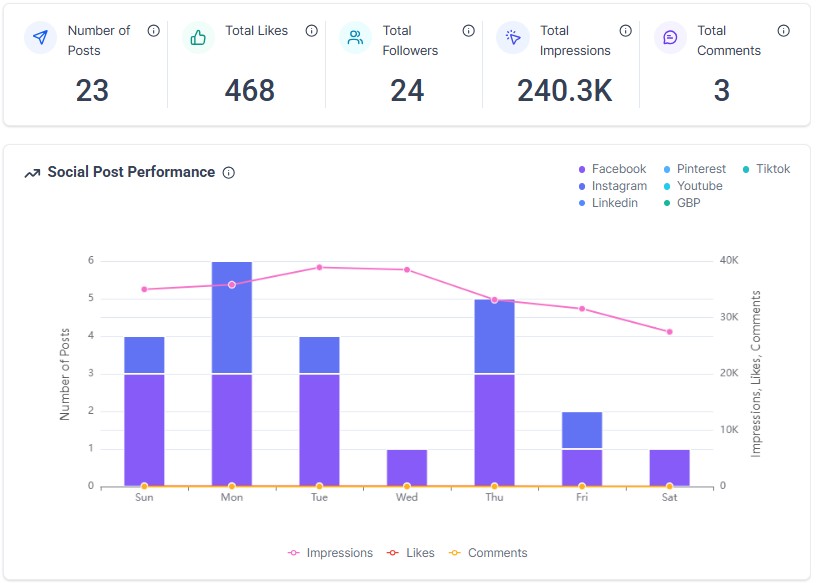
A simple, effective way to manage and schedule your social media content Looking for an easy-to-use social media post planner or want to replace expensive tools? Meet the CRAZY CRM…